Optimize your work through ChatGPT and AI tools
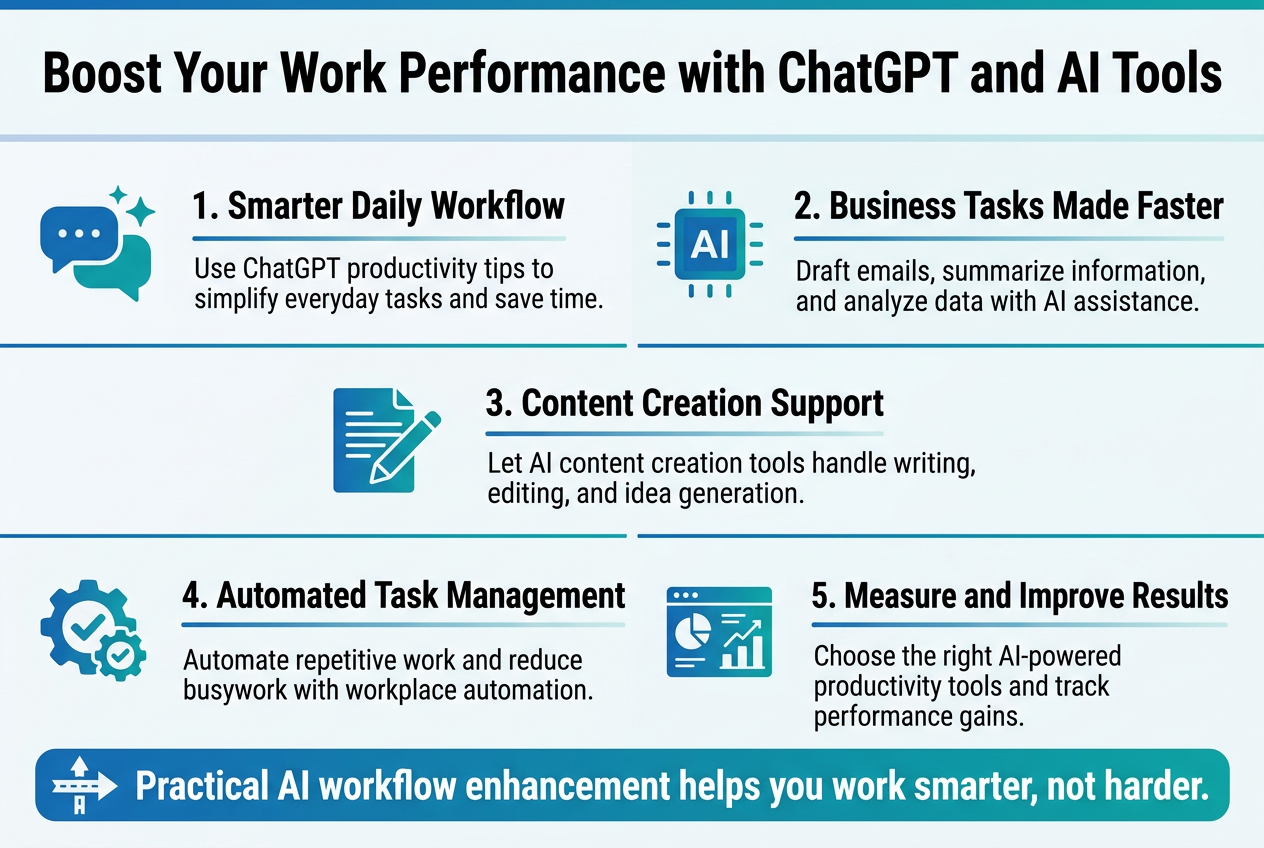
Boost Your Work Performance with ChatGPT and AI Tools
Busy professionals, entrepreneurs, and teams are discovering how ChatGPT productivity tips can transform their daily workflow. AI tools for work optimization are no longer future concepts—they're practical solutions available right now to help you work smarter, not harder.
This guide shows you exactly how to integrate artificial intelligence workflow enhancement into your routine. You'll learn to master ChatGPT for business tasks that eat up hours of your day, from writing emails to analyzing data. We'll also explore how AI content creation tools can handle your writing needs while automated task management takes care of boring, repetitive work.
You'll discover which AI-powered productivity tools work best for different situations and get step-by-step methods to measure your results. By the end, you'll have a clear roadmap for implementing workplace automation with AI that actually saves time and improves your output quality.
Understand AI-Powered Productivity Fundamentals
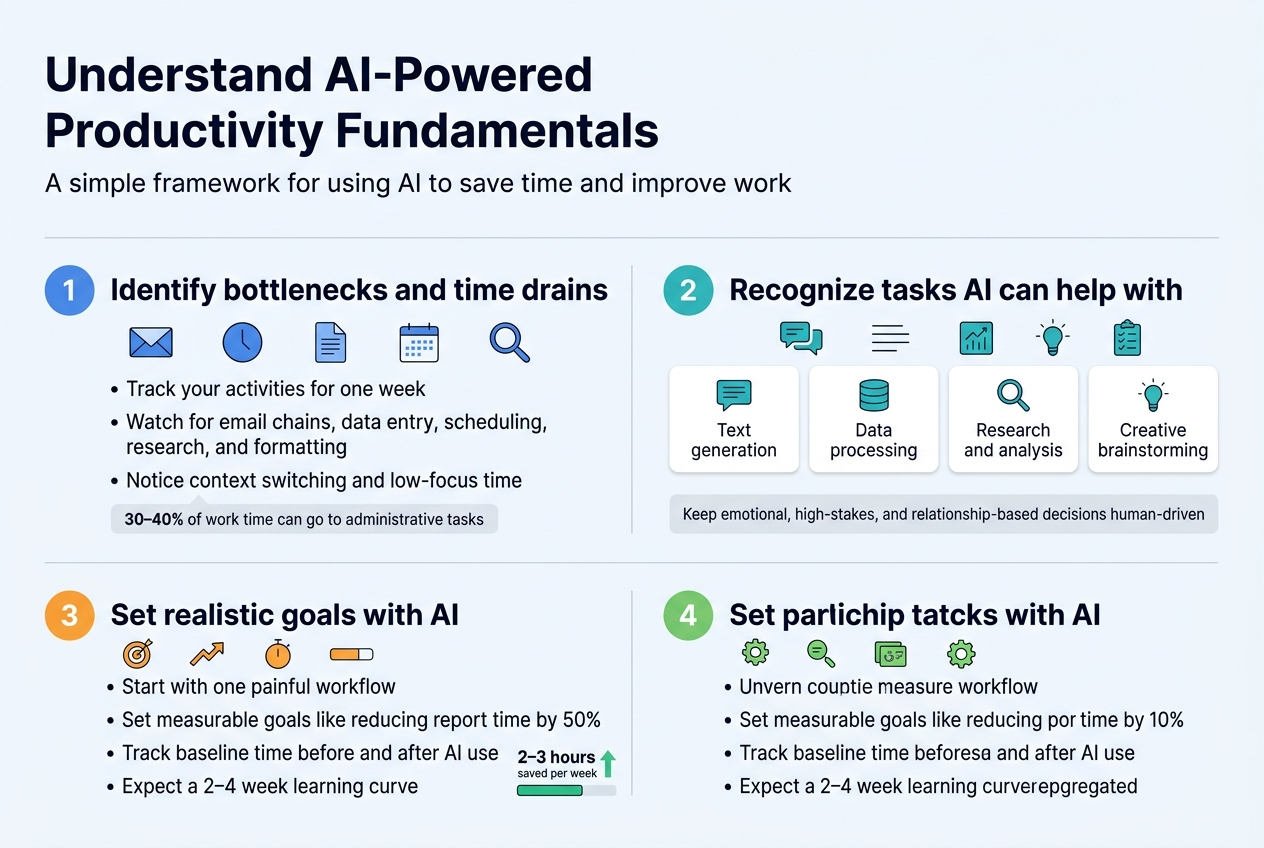
Identify your current workflow bottlenecks and time drains
Your workday probably feels like a constant battle against the clock. Before diving into AI tools for work optimization, you need to take an honest look at where your time actually goes. Start by tracking your activities for a week – not just the big projects, but those sneaky five-minute tasks that somehow eat up hours.
Common productivity killers include endless email chains, repetitive data entry, scheduling back-and-forth, research rabbit holes, and formatting documents. Many professionals spend 30-40% of their time on administrative tasks that could be streamlined with the right approach.
Create a simple log noting when you feel most productive versus when you're just going through the motions. Pay attention to context switching – that mental energy drain when jumping between different types of work. These transition periods often represent prime opportunities for AI-powered productivity tools to step in and smooth the gaps.
Recognize which tasks can be automated or enhanced with AI
Not every task needs the human touch. ChatGPT productivity tips start with identifying work that follows patterns or requires information synthesis. Writing first drafts, summarizing meetings, generating ideas, answering routine questions, and creating templates are perfect candidates for AI assistance.
Look for tasks that involve:
-
Text generation: Emails, reports, proposals, social media content
-
Data processing: Organizing information, creating summaries, extracting key points
-
Research and analysis: Finding relevant information, comparing options, identifying trends
-
Creative brainstorming: Generating concepts, exploring alternatives, developing strategies
-
Administrative work: Scheduling, follow-ups, basic customer service responses
Tasks requiring emotional intelligence, complex decision-making with high stakes, or deep personal relationships should remain human-driven. The sweet spot lies in augmenting your capabilities rather than replacing your judgment.
Set realistic productivity goals with AI integration
Jump into AI tools gradually rather than trying to revolutionize everything overnight. Start with one area where you feel the biggest pain point – maybe it's content creation or email management. Set measurable goals like "reduce time spent on weekly reports by 50%" or "increase content output by 3 pieces per week."
Workplace automation with AI works best when you establish baseline metrics first. Track how long current tasks take, then measure improvements after implementing AI solutions. This approach helps you see real ROI rather than just feeling busier.
Your goals should balance efficiency gains with quality maintenance. Aim to free up 2-3 hours per week initially, then scale based on comfort level and results. Remember that learning new tools requires upfront investment, so factor in a learning curve of 2-4 weeks for most AI content creation tools.
Choose the right AI tools for your specific work needs
ChatGPT for business tasks represents just one option in a growing ecosystem. Different roles benefit from different tool combinations. Content creators might prioritize writing assistants and image generators, while analysts need data processing and visualization tools.
| Work Function | Primary AI Tools | Key Benefits |
|---|---|---|
| Writing/Content | ChatGPT, Grammarly, Jasper | Draft creation, editing, optimization |
| Data Analysis | Claude, ChatGPT Plus, Tableau | Pattern recognition, report generation |
| Design/Creative | Canva AI, Midjourney, Adobe AI | Visual content, layout assistance |
| Customer Service | Chatbots, sentiment analysis | Response automation, issue classification |
| Project Management | Asana AI, Monday.com AI | Task prioritization, timeline optimization |
Start with free versions to test compatibility with your workflow. Many professionals find success combining a general-purpose tool like ChatGPT with specialized solutions for their industry. The key is choosing tools that integrate well with your existing software stack rather than creating additional complexity.
Consider your team's technical comfort level too. The best artificial intelligence workflow enhancement happens when everyone can actually use the tools effectively, not when they're struggling with complex interfaces or unclear instructions.
Master ChatGPT for Daily Work Tasks
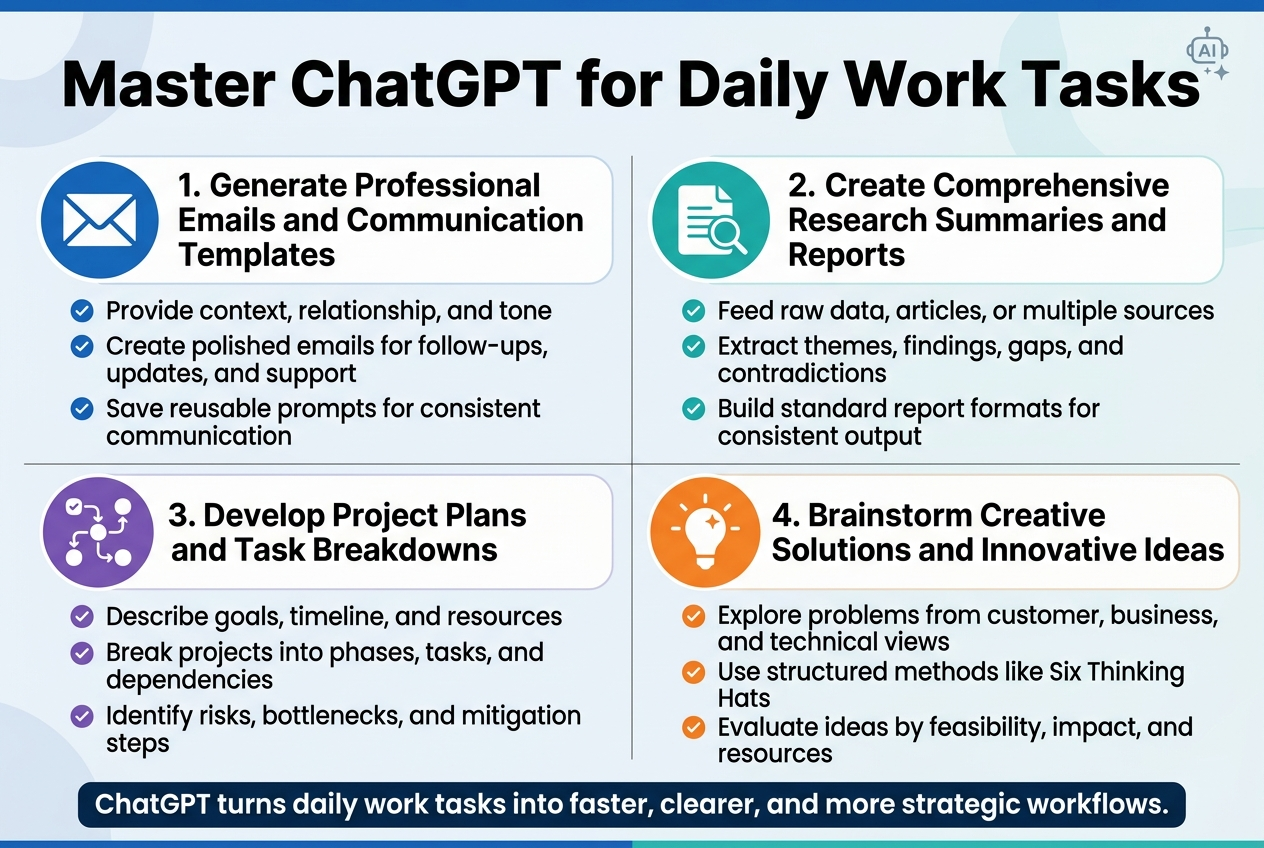
Generate Professional Emails and Communication Templates
ChatGPT can transform how you handle email communication and create professional templates. Instead of staring at a blank screen wondering how to phrase a difficult conversation, you can prompt ChatGPT with specific scenarios and get polished, professional responses.
Start by providing context about your situation, the recipient's relationship to you, and the desired tone. For example, "Write a follow-up email to a client who missed our project deadline, maintaining a professional but firm tone." ChatGPT will generate a well-structured email that you can customize.
Create reusable templates for common scenarios like meeting requests, project updates, or customer service responses. Build a library of these ChatGPT productivity tips by saving successful prompts and their outputs. This approach saves hours each week and ensures consistent communication quality across your team.
The key is being specific with your prompts. Include details like industry context, relationship dynamics, and desired outcomes. ChatGPT can adapt its language for different audiences - from casual internal team communications to formal client presentations.
Create Comprehensive Research Summaries and Reports
Research compilation becomes effortless when you leverage ChatGPT's analytical capabilities. Feed the AI raw data, articles, or multiple sources, and it will synthesize information into coherent, actionable summaries.
Break down complex research tasks by asking ChatGPT to identify key themes, extract main findings, and highlight contradictions or gaps in the data. The AI excels at pattern recognition and can spot connections you might miss when buried in dense material.
For competitive analysis, provide ChatGPT with competitor information and ask for structured comparisons. The AI can organize findings into clear categories like pricing strategies, market positioning, or feature comparisons. This AI-powered productivity tool approach transforms hours of manual analysis into minutes of focused review.
Create standardized report formats by training ChatGPT on your preferred structure. Whether you need executive summaries, detailed technical reports, or presentation-ready findings, consistent prompting will yield consistent results that match your organization's standards.
Develop Project Plans and Task Breakdowns
Project planning becomes more systematic when you use ChatGPT for structured task decomposition. Describe your project goals, timeline, and available resources, then ask the AI to break everything down into manageable phases and actionable steps.
ChatGPT excels at identifying dependencies between tasks and suggesting logical sequences for project execution. It can spot potential bottlenecks and recommend parallel workstreams that maximize efficiency. The AI considers factors like resource allocation, skill requirements, and timeline constraints when structuring your project plan.
Use ChatGPT to create detailed work breakdown structures (WBS) by providing high-level objectives and asking for increasingly granular task definitions. The AI can estimate time requirements for different activities based on industry standards and complexity levels.
Risk assessment becomes more thorough when you ask ChatGPT to identify potential challenges for each project phase. The AI can suggest mitigation strategies and backup plans, helping you prepare for common project pitfalls before they derail your timeline.
Brainstorm Creative Solutions and Innovative Ideas
ChatGPT serves as an unlimited brainstorming partner that never gets tired or runs out of ideas. Unlike traditional brainstorming sessions that can get stuck in groupthink, AI brings diverse perspectives and unconventional approaches to problem-solving.
Present your challenges using different angles - describe the problem from customer, business, and technical perspectives. ChatGPT will generate solutions that address multiple stakeholder needs simultaneously. The AI draws from vast knowledge across industries, often suggesting approaches that worked in completely different contexts.
Use structured brainstorming techniques through ChatGPT prompts. Try the "Six Thinking Hats" method by asking the AI to approach your problem from emotional, logical, creative, cautious, optimistic, and process-oriented viewpoints. This ChatGPT for business tasks approach generates comprehensive solution sets.
Challenge conventional thinking by asking ChatGPT to reverse assumptions or explore opposite approaches. If you're trying to increase customer retention, ask what would happen if you focused entirely on acquisition instead. These contrarian perspectives often reveal innovative solutions hidden in plain sight.
The AI can also help evaluate and refine brainstormed ideas by analyzing feasibility, resource requirements, and potential impact. This evaluation phase transforms creative concepts into actionable business strategies.
Streamline Content Creation with AI Assistance
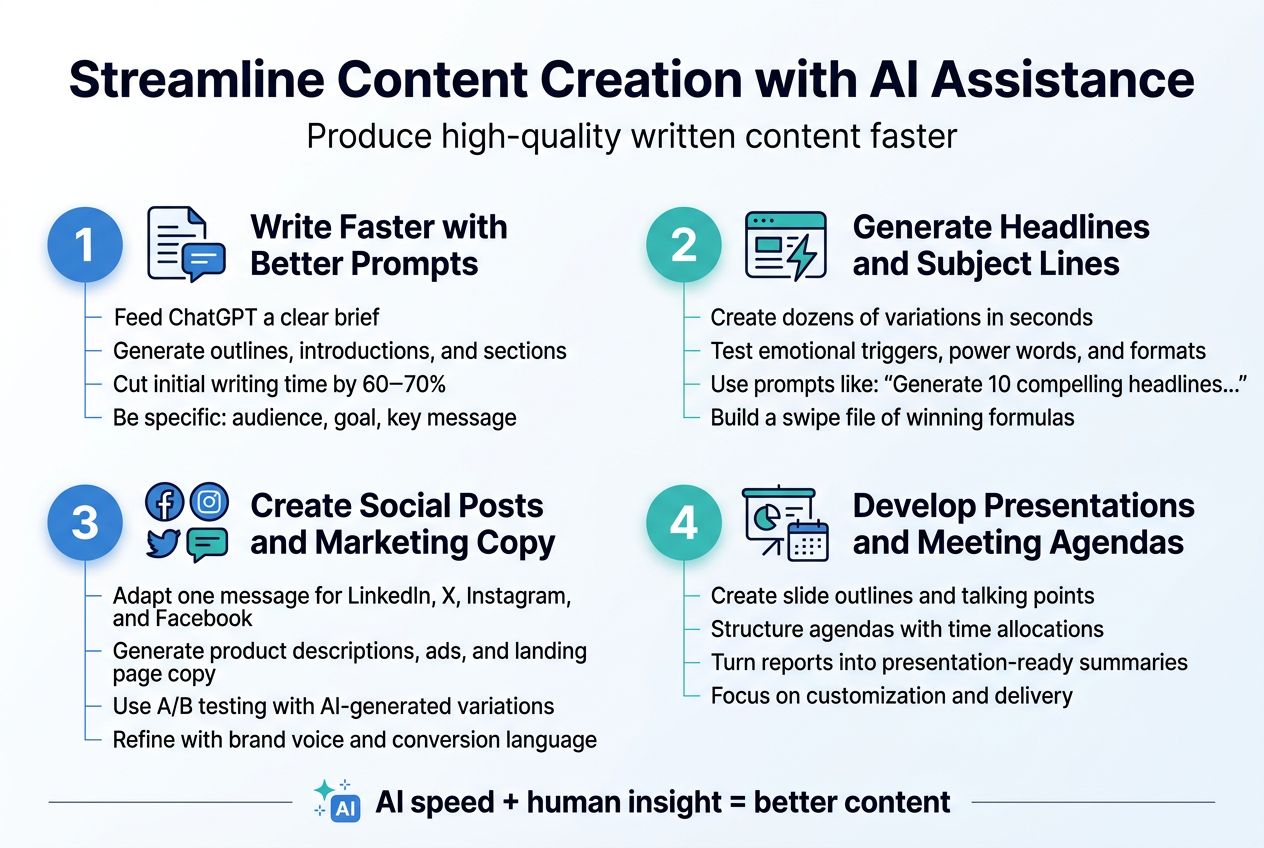
Produce high-quality written content faster
ChatGPT productivity tips can transform your writing process from a time-consuming struggle into an efficient, creative flow. When you're staring at a blank page, AI tools for work optimization become your creative partner, helping you break through writer's block and generate ideas at lightning speed.
Start by feeding ChatGPT a clear brief about your content goals, target audience, and key messages. The AI can then produce detailed outlines, draft introductions, or even complete sections that you can refine and personalize. This approach cuts your initial writing time by 60-70% while maintaining quality standards.
For blog posts, ask ChatGPT to generate multiple angle variations on your topic. You'll get fresh perspectives you might not have considered, plus ready-made content frameworks. The key is being specific with your prompts - instead of "write about productivity," try "write a 500-word guide for remote workers struggling with time management, focusing on three actionable strategies they can implement today."
AI content creation tools excel at research assistance too. Need statistics, expert quotes, or industry insights? ChatGPT can provide background information and suggest credible sources, saving hours of manual research while ensuring your content stays factual and relevant.
Generate compelling headlines and subject lines
Headlines make or break your content's success, and AI gives you an unfair advantage in this critical area. ChatGPT can generate dozens of headline variations in seconds, testing different emotional triggers, power words, and formats.
Create a simple prompt formula: "Generate 10 compelling headlines for [your topic] that appeal to [your audience] and focus on [specific benefit]." You'll get options ranging from curiosity-driven to benefit-focused to urgency-based headlines.
For email subject lines, workplace automation with AI becomes even more valuable. Test different approaches by asking for variations that use numbers, questions, personalization, or scarcity. ChatGPT can also adapt successful headlines from other industries to your specific context.
Keep a swipe file of AI-generated headlines that perform well. Over time, you'll notice patterns in what resonates with your audience, and you can train ChatGPT to replicate those successful formulas.
Create social media posts and marketing copy
Social media demands constant content creation, and AI-powered productivity tools can handle this workload without breaking a sweat. ChatGPT excels at adapting a single piece of content across multiple platforms, each with the right tone and format.
Give ChatGPT your core message and ask it to create versions for LinkedIn, Twitter, Instagram, and Facebook. Each platform gets content optimized for its audience and character limits. For LinkedIn, you'll get professional insights with industry terminology. For Instagram, expect visual storytelling with relevant hashtags.
Marketing copy benefits enormously from AI assistance. Product descriptions, ad copy, landing page text - ChatGPT can generate multiple variations quickly. Try A/B testing different AI-generated approaches to see what converts best with your audience.
The real power comes from iteration. Take AI-generated copy and refine it with specific brand voice guidelines, customer pain points, and conversion-focused language. This hybrid approach combines AI speed with human insight.
Develop presentations and meeting agendas
ChatGPT for business tasks shines when creating structured presentations and meeting frameworks. Instead of spending hours organizing thoughts and creating slide outlines, let AI handle the heavy lifting while you focus on customization and delivery.
Start with your presentation goal and audience, then ask ChatGPT to create a logical flow with key talking points for each section. The AI can suggest compelling opening hooks, supporting data points, and strong closing calls-to-action. You'll get a complete presentation skeleton in minutes rather than hours.
For meeting agendas, provide ChatGPT with your objectives and attendee list. The AI can structure discussion points, estimate time allocations, and even suggest questions to keep conversations productive. This preparation ensures every meeting has clear direction and measurable outcomes.
Transform dense reports or complex data into presentation-ready summaries. ChatGPT can identify key insights, create executive summaries, and suggest visual elements that support your narrative. Your presentations become more engaging while requiring significantly less preparation time.
Automate Administrative and Repetitive Tasks
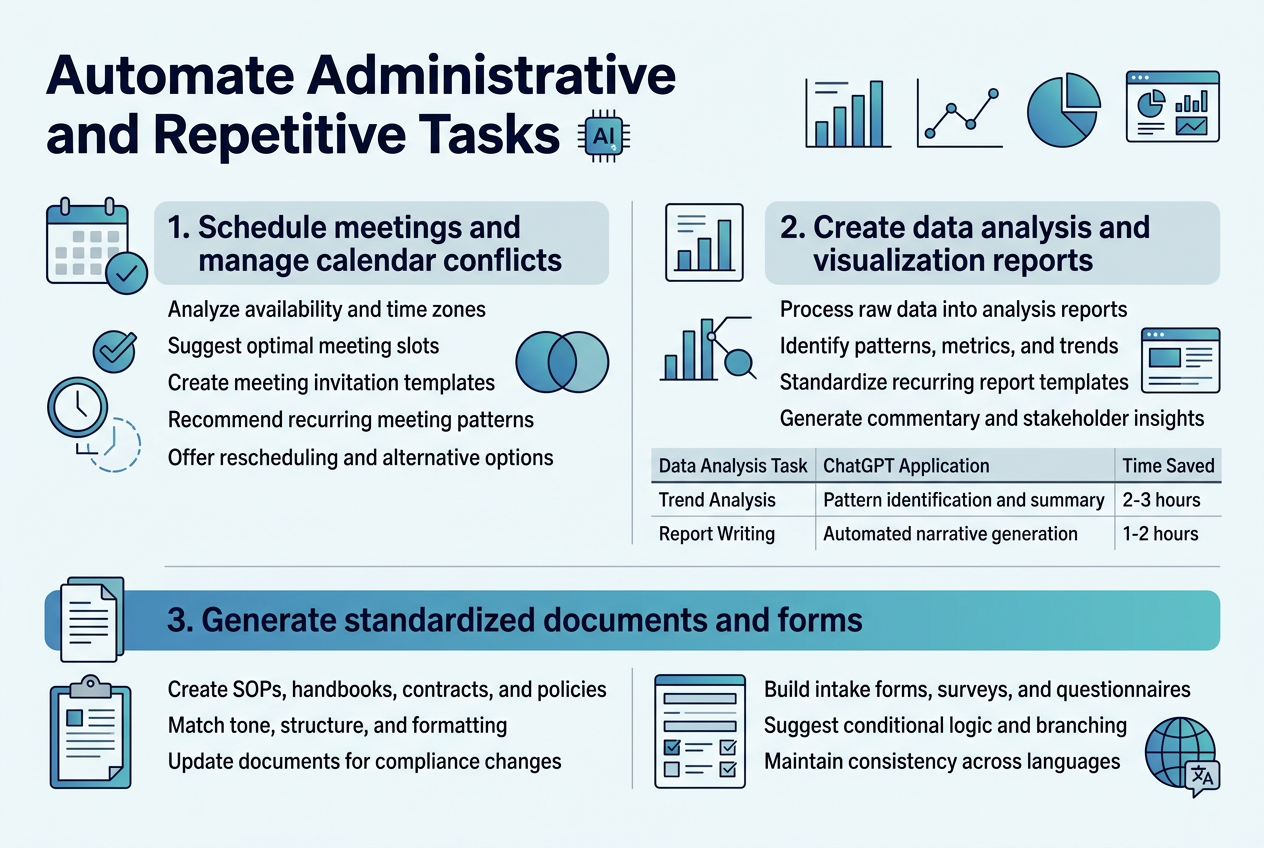
Schedule meetings and manage calendar conflicts
Calendar management becomes effortless when you leverage AI-powered productivity tools for scheduling. ChatGPT can transform how you handle meeting coordination by analyzing participant availability and suggesting optimal time slots. Simply provide the AI with everyone's general availability preferences, time zones, and meeting requirements, and it will generate multiple scheduling options that work for all parties.
ChatGPT productivity tips for calendar management include creating templates for different meeting types. You can ask ChatGPT to draft meeting invitations with appropriate agenda items, duration estimates, and preparation requirements. The AI excels at crafting professional yet friendly meeting requests that increase attendance rates.
For recurring meetings, ChatGPT can help establish consistent scheduling patterns that respect everyone's workflow. The AI can analyze team productivity data and recommend meeting times that don't interrupt deep work periods. This workplace automation with AI approach reduces the back-and-forth emails typically associated with finding suitable meeting times.
When conflicts arise, ChatGPT can quickly generate alternative solutions. Provide the AI with conflict details and constraints, and it will suggest rescheduling options, meeting format changes, or even identify which attendees are essential versus optional for specific agenda items.
Create data analysis and visualization reports
AI tools for work optimization revolutionize how professionals handle data analysis tasks. ChatGPT can process raw data sets and generate comprehensive analysis reports that would traditionally take hours to complete. The AI can identify patterns, calculate key metrics, and highlight significant trends within your data.
Start by feeding ChatGPT your data requirements and analysis objectives. The AI can create detailed statistical summaries, perform comparative analysis between different time periods, and generate insights that inform strategic decisions. This automated task management approach ensures consistency in reporting formats while reducing human error.
ChatGPT excels at creating visualization recommendations based on your data type and audience needs. The AI can suggest the most effective chart types, color schemes, and layout arrangements for maximum impact. Whether you need executive dashboards or detailed operational reports, ChatGPT can outline the visualization strategy that best communicates your findings.
For recurring reports, ChatGPT can standardize your analysis framework, creating templates that maintain consistency across reporting periods. The AI can generate commentary that explains data variations, identifies outliers, and provides context for stakeholders who may not have deep analytical backgrounds.
| Data Analysis Task | ChatGPT Application | Time Saved |
|---|---|---|
| Trend Analysis | Pattern identification and summary | 2-3 hours |
| Report Writing | Automated narrative generation | 1-2 hours |
| Visualization Planning | Chart type and layout recommendations | 30-60 minutes |
| Data Interpretation | Insight generation and context | 1-2 hours |
Generate standardized documents and forms
Document creation becomes streamlined through artificial intelligence workflow enhancement that produces consistent, professional outputs. ChatGPT can generate standard operating procedures, employee handbooks, contract templates, and compliance documents that align with your organization's style and requirements.
Begin by providing ChatGPT with your existing document samples and formatting preferences. The AI learns your organization's tone, structure, and content requirements, then applies these standards to new document creation. This ensures brand consistency across all materials while significantly reducing drafting time.
ChatGPT for business tasks includes creating dynamic forms that adapt to different scenarios. The AI can generate intake forms, assessment questionnaires, and feedback surveys with appropriate question types and logical flow. ChatGPT can also create conditional logic suggestions for forms that branch based on user responses.
Legal and compliance documents benefit greatly from AI assistance. ChatGPT can draft privacy policies, terms of service, and internal policies by incorporating industry standards and regulatory requirements. The AI can also update existing documents when regulations change, highlighting modifications needed for compliance.
The AI excels at creating document libraries with consistent formatting and organization. You can establish master templates for proposals, reports, memos, and presentations that maintain professional appearance while allowing for content customization. This AI-powered productivity tools approach ensures every team member produces documents that meet organizational standards without extensive training or style guide consultation.
For multilingual organizations, ChatGPT can maintain document consistency across different languages, ensuring translations preserve the original document's intent and formatting structure.
Enhance Decision-Making Through AI Analysis
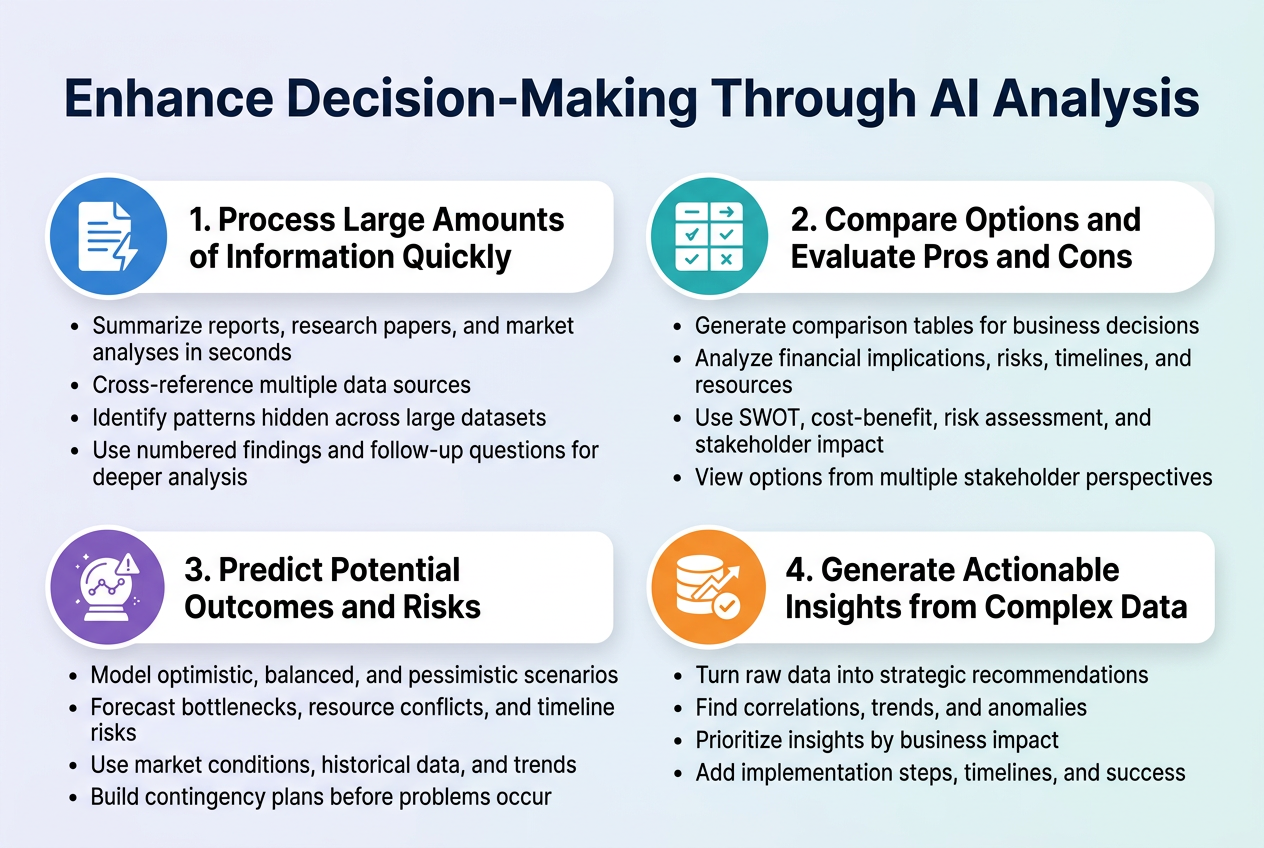
Process Large Amounts of Information Quickly
Modern professionals face an overwhelming flood of data daily. AI decision making tools transform how we handle this challenge by processing vast amounts of information in seconds rather than hours. ChatGPT excels at summarizing lengthy reports, research papers, and market analyses into digestible insights.
When you're dealing with multiple data sources, AI can cross-reference information and identify patterns that might take humans days to discover. Upload financial reports, customer feedback, industry trends, and competitive analysis data to ChatGPT, and watch it synthesize key findings into clear, actionable summaries.
ChatGPT productivity tips for information processing include:
-
Breaking down complex documents into specific questions
-
Asking for numbered lists of key findings
-
Requesting comparative analyses between different data sets
-
Using follow-up prompts to drill deeper into specific areas
Compare Options and Evaluate Pros and Cons
Decision-making becomes significantly more effective when AI helps structure your thinking. AI tools for work optimization excel at creating comprehensive comparison frameworks that ensure you consider all relevant factors.
ChatGPT can generate detailed comparison tables for business decisions, vendor selections, strategic initiatives, and investment opportunities. Simply provide the options you're considering, and the AI will create structured analyses that include financial implications, risks, timeline considerations, and resource requirements.
| Decision Framework | AI Capability | Business Impact |
|---|---|---|
| SWOT Analysis | Identifies strengths, weaknesses, opportunities, threats | Strategic planning clarity |
| Cost-Benefit Analysis | Calculates ROI and payback periods | Financial decision confidence |
| Risk Assessment Matrix | Evaluates probability and impact of risks | Risk mitigation planning |
| Stakeholder Impact Analysis | Maps effects on different groups | Change management preparation |
The AI can also role-play different perspectives, helping you understand how various stakeholders might view each option. This multi-angle approach reveals blind spots and strengthens your decision-making process.
Predict Potential Outcomes and Risks
Artificial intelligence workflow enhancement includes sophisticated scenario planning capabilities. ChatGPT can model different outcomes based on historical data, market trends, and decision variables you provide.
For project planning, the AI can predict potential bottlenecks, resource conflicts, and timeline risks before they occur. When launching new products, it can forecast market reception based on similar launches and current market conditions.
Risk prediction works particularly well when you provide specific parameters:
-
Market conditions and economic indicators
-
Historical performance data
-
Seasonal trends and cyclical patterns
-
Competitive landscape changes
-
Regulatory environment shifts
The AI generates multiple scenarios ranging from optimistic to pessimistic, helping you prepare contingency plans for various outcomes. This proactive approach to risk management prevents surprises and builds resilience into your strategies.
Generate Actionable Insights from Complex Data
Raw data becomes valuable only when transformed into actionable insights. ChatGPT for business tasks includes powerful analytical capabilities that turn numbers into strategic recommendations.
When analyzing customer data, sales figures, or operational metrics, AI can identify correlations, trends, and anomalies that inform strategic decisions. The key lies in asking the right questions and providing context about your business objectives.
Productivity optimization using ChatGPT for data analysis involves:
-
Uploading datasets with clear variable definitions
-
Specifying business goals and success metrics
-
Requesting insight prioritization based on impact potential
-
Asking for specific implementation recommendations
AI can segment customer data to reveal purchasing patterns, analyze employee performance metrics to identify training needs, or examine financial data to optimize budget allocation. The insights come with recommended actions, timelines, and success measurements.
AI-powered productivity tools work best when you establish clear feedback loops. Regular analysis updates help the AI learn your decision-making preferences and improve recommendation accuracy over time.
Implement AI Tools Across Different Work Areas
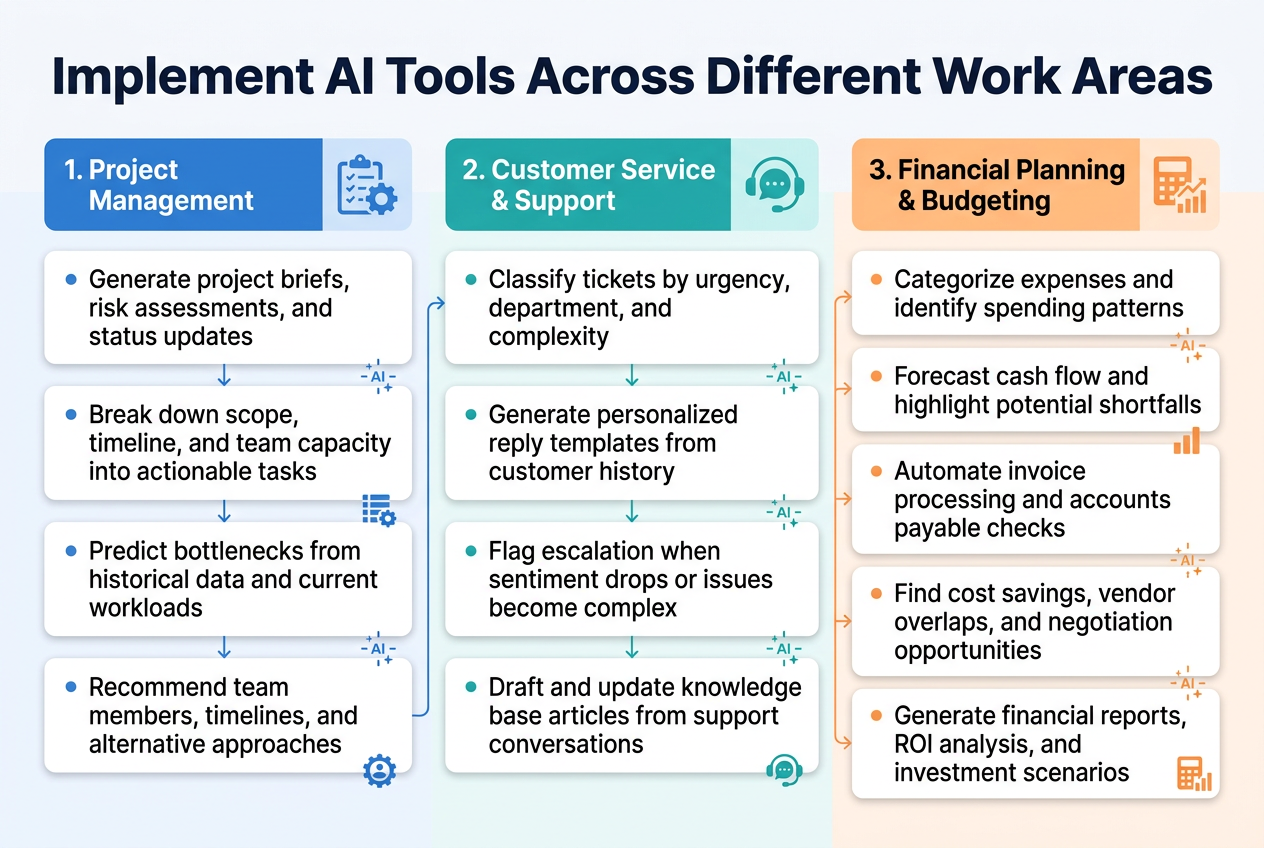
Integrate AI into project management workflows
Project management transforms completely when you bring AI-powered productivity tools into the mix. Start by connecting ChatGPT to your existing project management platform. Most teams use tools like Asana, Trello, or Monday.com, and you can create custom workflows that automatically generate project briefs, risk assessments, and status updates.
Here's how to make it work: Set up ChatGPT to analyze project requirements and break them down into actionable tasks. Feed it your project scope, timeline, and team capacity, then watch it create detailed work breakdown structures in minutes instead of hours. The AI can also predict potential bottlenecks by analyzing historical project data and current workloads.
Workplace automation with AI really shines in resource allocation. Train ChatGPT on your team's skills matrix and project history. When new projects come in, it can recommend the best team members, estimate realistic timelines, and even suggest alternative approaches based on similar past projects.
Smart project tracking becomes effortless when you automate progress reports. Set up daily or weekly prompts where ChatGPT pulls data from your project tools and generates executive summaries. These reports can highlight achievements, flag delays, and recommend corrective actions without anyone manually compiling information.
Risk management gets a major upgrade too. ChatGPT can continuously scan project communications, identify potential issues from team updates, and suggest mitigation strategies before problems escalate. This proactive approach saves countless hours of crisis management.
Use AI for customer service and support optimization
Customer service revolutionizes when you deploy ChatGPT for business tasks strategically. Begin with ticket classification and routing. Train the AI to read incoming support requests and automatically categorize them by urgency, department, and complexity. This eliminates the manual sorting that typically bogs down support teams.
Response quality improves dramatically with AI assistance. Create template libraries where ChatGPT generates personalized responses based on customer history, issue type, and company tone guidelines. Your support agents get suggested responses that they can review, edit, and send, cutting response times by 60-70%.
Escalation management becomes seamless with intelligent monitoring. Set up ChatGPT to analyze conversation sentiment and complexity levels. When discussions show signs of frustration or technical depth beyond first-level support, the AI automatically flags for escalation and provides context to senior agents.
Knowledge base optimization happens continuously with AI analysis. ChatGPT can review support conversations, identify common questions that aren't well-covered in your help documentation, and draft new articles. It also suggests updates to existing content when it notices repeated clarification requests.
Artificial intelligence workflow enhancement extends to training new support staff. Use ChatGPT to create realistic customer scenarios for role-playing exercises, generate quiz questions based on your product knowledge, and provide instant feedback on trainee responses.
Apply AI tools for financial planning and budgeting
Financial planning transforms when you integrate AI tools for work optimization into your budgeting processes. Start with expense categorization and analysis. Upload your transaction data to ChatGPT and watch it identify spending patterns, unusual expenses, and optimization opportunities that manual review might miss.
Budget forecasting becomes remarkably accurate with AI assistance. Feed ChatGPT your historical financial data, seasonal trends, and business projections. The AI can model different scenarios, predict cash flow patterns, and highlight potential shortfalls months in advance. This early warning system prevents financial surprises and enables proactive planning.
Automated task management revolutionizes invoice processing and accounts payable. Set up ChatGPT to review incoming invoices, extract key information, verify against purchase orders, and flag discrepancies. This reduces processing time from days to hours while improving accuracy.
Cost optimization opportunities surface automatically when AI analyzes your spending patterns. ChatGPT can compare vendor prices, identify subscription overlaps, recommend consolidation opportunities, and even draft negotiation strategies for contract renewals.
Financial reporting becomes effortless with AI-generated insights. Instead of spending hours creating monthly financial summaries, ChatGPT can analyze your data and produce narrative reports that explain trends, highlight key metrics, and provide actionable recommendations. These reports help stakeholders understand financial performance without drowning in spreadsheet details.
Investment analysis and strategic planning benefit enormously from AI's pattern recognition capabilities. ChatGPT can evaluate ROI calculations, assess project feasibility, and model different investment scenarios to support better decision-making across your organization.
Measure and Optimize Your AI-Enhanced Productivity
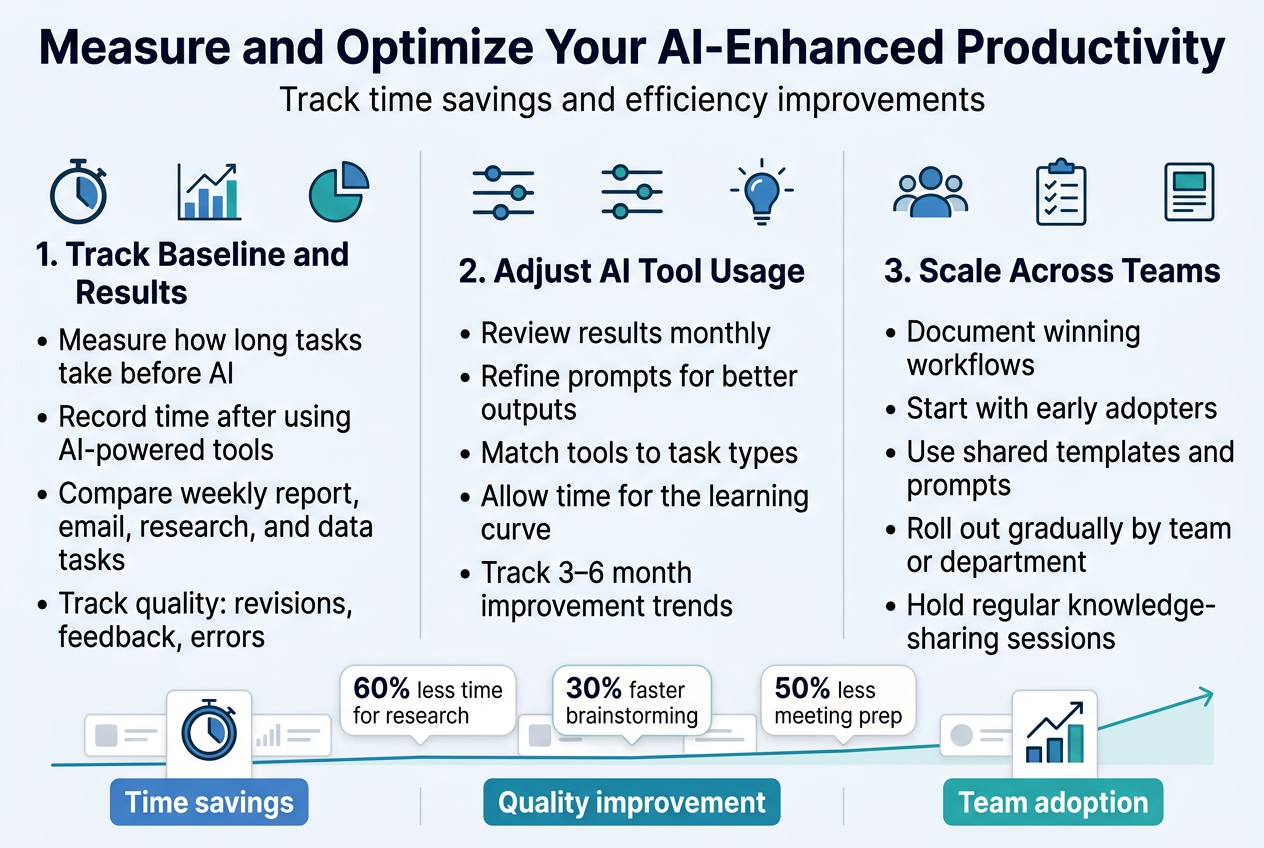
Track time savings and efficiency improvements
Monitoring the impact of AI tools for work optimization requires systematic tracking of key performance indicators. Start by establishing baseline measurements before implementing ChatGPT productivity tips in your workflow. Document how long specific tasks currently take, from writing emails to creating reports or analyzing data.
Create a simple tracking system that captures both quantitative and qualitative improvements. Time-based metrics work best for most professionals - record how long content creation takes before and after using AI-powered productivity tools. For example, if writing a weekly report typically takes three hours, track how ChatGPT reduces this to 90 minutes while maintaining quality standards.
Beyond time savings, measure quality improvements and error reduction. AI content creation tools often produce more consistent outputs with fewer grammatical errors and better structure. Track metrics like revision rounds needed, client feedback scores, or peer review comments to gauge quality enhancements.
Set up weekly or monthly review sessions to analyze your data. Look for patterns in which tasks benefit most from workplace automation with AI. You might discover that research tasks see 60% time reductions while creative brainstorming shows 30% improvements. This data becomes crucial for optimizing your AI tool selection and usage patterns.
Adjust AI tool usage based on results
Raw data means nothing without actionable adjustments. Review your tracking results monthly and identify which artificial intelligence workflow enhancement strategies deliver the best return on time investment. If ChatGPT excels at first-draft creation but struggles with technical accuracy in your field, adjust your approach accordingly.
Experiment with different prompting techniques when results plateau. Sometimes a 40% efficiency gain can jump to 70% by refining how you communicate with AI tools. Test various prompt structures, context-setting approaches, and output formatting requests to find your optimal configuration.
Consider tool rotation based on task types. Your analysis might reveal that ChatGPT handles creative tasks brilliantly while specialized AI decision making tools work better for data analysis. Create task-specific workflows that leverage each tool's strengths rather than forcing one solution for everything.
Don't ignore the learning curve factor. Initial productivity dips are normal when adopting new automated task management systems. Track improvement trends over 3-6 month periods rather than making hasty decisions based on first-week results. Many professionals see compound productivity gains as they master prompt engineering and workflow integration.
Scale successful AI implementations across teams
Once you identify winning productivity optimization using ChatGPT strategies, documentation becomes critical for team expansion. Create step-by-step guides that capture not just what works, but why it works and how to troubleshoot common issues.
Start scaling with your closest collaborators or team members who show genuine interest in AI tools. These early adopters become your internal champions and help refine processes before broader rollouts. Share your tracking data to demonstrate concrete benefits - showing a 50% reduction in meeting preparation time speaks louder than theoretical benefits.
Develop standardized templates and prompts that maintain consistency across team members. When everyone uses similar frameworks for ChatGPT for business tasks, you can compare results more effectively and identify best practices faster. Create a shared repository of proven prompts, workflows, and use cases.
Implement gradual rollouts rather than organization-wide mandates. Begin with departments or projects where AI tools address clear pain points. Success stories from these pilot programs naturally encourage adoption in other areas. Monitor team-wide metrics like project completion times, quality scores, and employee satisfaction to measure collective improvements.
Establish regular knowledge-sharing sessions where team members demonstrate successful AI implementations. These sessions help identify innovative use cases you might have missed and create a culture of continuous improvement around AI tool usage.
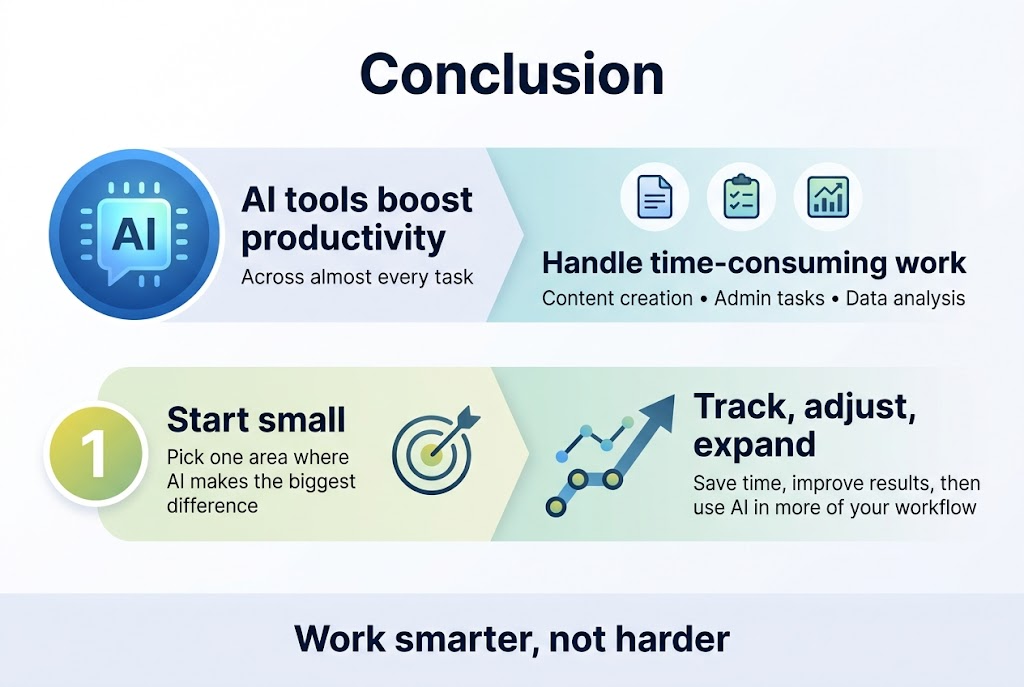
AI tools like ChatGPT have changed how we approach work, offering real ways to boost productivity across almost every task. From creating content and handling admin work to making better decisions with data analysis, these tools can take care of the time-consuming stuff so you can focus on what really matters. The key is understanding which AI tools work best for your specific needs and learning how to use them effectively in your daily routine.
Start small by picking one area where AI can make the biggest difference in your work. Maybe it's using ChatGPT to draft emails, automate data entry, or analyze reports. Once you see the time savings and improved results, you can gradually expand AI into other parts of your workflow. Track your progress and adjust as you go – the goal is to work smarter, not harder, and AI tools are here to help you do exactly that.